
Introduction
In today's cybersecurity landscape, it is crucial for website owners and developers to prioritize security measures, especially when it comes to content management systems like WordPress. Despite the widespread adoption of this powerful platform, many users still overlook basic security practices, leaving their sites vulnerable to potential threats including brute-force attacks, malware injections, and unauthorized access.
In this article, I will outline 8 essential security tips for a WordPress website, focusing on a critical, yet often neglected aspect: the use of "admin" as a username and how to protect against this common vulnerability.
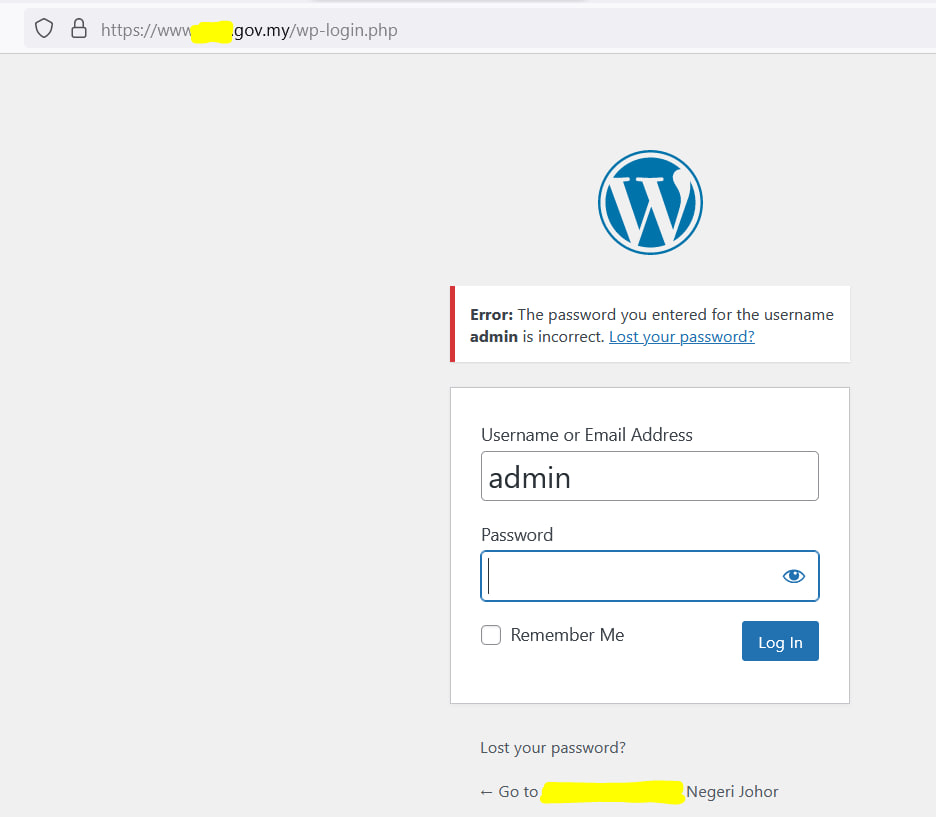
1. Install a Security Plugin
The first step in securing your WordPress site is to install a reputable security plugin. These plugins offer a comprehensive range of features, such as:
- Firewall protection against malicious traffic
- Malware scanning and removal
- Regular security updates and notifications
- Login attempt monitoring and blocking
- Backup and recovery functionality
Popular choices include Wordfence, Sucuri, and All In One WP Security, each offering robust protection mechanisms to keep your site safe from evolving threats.
2. Personalized Login URL
Most WordPress sites use the default login URL (yoursite.com/wp-admin), which makes them an attractive target for hackers. To reduce the risk of a brute-force attack, create a custom login URL to make it significantly harder for would-be attackers to locate and target your login page.
This simple change obscures your site's structure and requires attackers to discover the correct URL before they can even attempt to breach your security.
3. Strong Passwords
One of the easiest ways for hackers to gain access to your site is through weak passwords. Make sure all your users, especially the administrator, use strong and unique passwords that include:
- A mix of uppercase and lowercase letters
- Numbers and special characters
- At least 16 characters in length
- Avoid dictionary words or predictable patterns
WordPress itself, along with additional security plugins, enables the use of Two-Factor Authentication (2FA), which adds an extra layer of security beyond password protection.
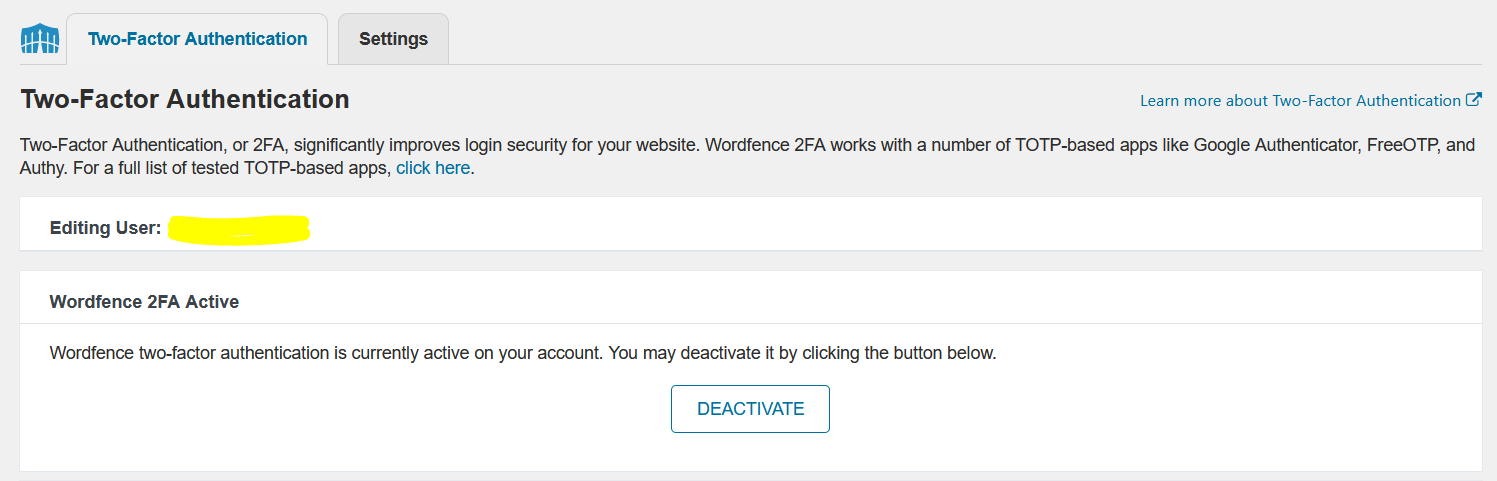
WordFence Two-Factor Authentication Plugin Options
4. Avoid Using "admin" as Username
This is perhaps the most critical security tip that many WordPress users still overlook. Hackers often exploit publicly available information about a website's structure, including the existence of an "admin" user, to carry out systematic brute-force attacks.
If you currently have an "admin" account, create a new administrator account with a unique, non-obvious username, and then delete the default "admin" user. By using a unique username for the administrator, you make it dramatically harder for attackers to gain access, as they must now discover both the username AND guess the password.
This simple change transforms the attack surface from a known variable to an unknown one, requiring attackers to employ more sophisticated reconnaissance techniques.
5. Limit Login Attempts
Another highly effective strategy for preventing brute-force attacks is to limit the number of failed login attempts before blocking an IP address. This prevents attackers from continuously attempting different password combinations.
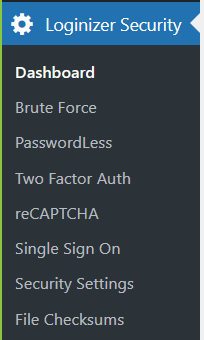
Loginizer Security Plugin Options
Free plugins like "Limit Login Attempts" or "Loginizer" can help you implement this security measure quickly. These plugins automatically lock out users after a specified number of failed login attempts, making brute-force attacks impractical.
6. Forced Secure HTTP (HTTPS)
Enabling HTTPS on your website ensures that all information transmitted between your site and users is encrypted using SSL/TLS protocols. This makes it exponentially more challenging for hackers to intercept sensitive data such as login credentials, personal information, and payment details.
Modern SSL certificates are affordable or free (via Let's Encrypt), and most hosting providers offer automatic HTTPS installation. Ensure all traffic is redirected from HTTP to HTTPS to protect all users accessing your site.
7. Keep Everything Up to Date
Regularly updating your WordPress core, themes, and plugins is absolutely essential for preventing potential security vulnerabilities. Most security exploits target known vulnerabilities in outdated software components.
Security best practices include:
- Enabling automatic updates for WordPress core
- Regularly updating all themes and plugins
- Removing unused themes and plugins
- Subscribing to security notifications from plugin developers
- Testing updates on a staging environment before deploying to production
8. Regular Backups
Having a current backup of your site is absolutely essential, as it enables you to quickly restore your site in case of a successful attack, ransomware infection, or other catastrophic event. Implement a comprehensive backup strategy that includes:
- Automated daily backups stored off-site
- Multiple backup retention points (daily, weekly, monthly)
- Regular backup restoration tests to ensure backups are functional
- Encrypted backup storage to protect sensitive data
- Documentation of the backup and restore procedures
Conclusion
Rome was not built in a day, neither is a secure WordPress site. Building a robust security posture requires a layered approach combining technical measures, best practices, and ongoing vigilance. By implementing these 8 essential security tips, you can significantly reduce your site's attack surface and safeguard your content, user data, and reputation from potential threats.
Remember that security is not a one-time task but an ongoing commitment. Regular audits, updates, and monitoring are essential components of maintaining a secure WordPress installation in an evolving threat landscape.