
From Community Need to the WordPress.org Directory
For over a decade, I have been building websites and working with the WordPress CMS. Throughout the years, I have designed and built numerous plugins tailored to my clients' specific needs. Each project has taught me something new about what makes a plugin truly usable, not just functional.
Through my ongoing Community Service Program (CSR) work with local mosques and charitable organizations, I found myself facing a recurring request: a reliable prayer timetable for their websites.

Daily prayer times displayed on a live website
The Problem: Too Complex, Too Complicated
I tried existing prayer timetable plugins before. Some worked adequately, while others were overly complicated. They came with bloated settings panels, unnecessary features, and confusing interfaces. What mosque communities needed was something simple, fast, and easy to maintain.
That is why I built Din. It is a plugin designed with real users in mind, not just developers. After submitting to the WordPress plugin directory and navigating the review process, which included renaming from the original "DS Prayer Time Table" to a more distinctive name, the plugin is now officially available on WordPress.org.
The name Din carries personal meaning. Apart from being the Arabic word Din (دين) which means "religion" or "faith," it is also inspired by my late father's name, Saifudin, who passed away on 27 April 2024. May any good reward from this work reach him, InshaAllah.
Key Features
Daily Prayer Times Made Simple
Display clean, readable prayer timetables with:
- Customizable columns (show/hide Begins times and Iqamah times)
- Highlight the next upcoming prayer automatically
- Support for both vertical and horizontal layouts
- Hijri and Gregorian date display with multiple display modes
Monthly Timetable Overview
Show an entire month's prayer times at a glance with a clean, responsive calendar-style table that is easy to read on any device.
PDF Download Button
Upload a PDF version of your monthly prayer timetable and display a download button. Fully customizable: choose the button text, colors, size, and position (top-left, top-right, top-center, bottom-left, bottom-right, and bottom-center).
Easy Import and Export
Import prayer times in bulk using a simple CSV file. The plugin validates your data and handles the rest. No manual entry of dozens of rows needed.
Next Prayer Widget
Show the next upcoming prayer with a real-time countdown timer. Perfect for homepage hero sections or sidebar widgets. Uses AJAX to fetch the current time and calculates the countdown client-side.
Hijri Date Display
Display the Hijri (Islamic) date alongside the Gregorian date. The plugin uses a simple anchor-based calculation system where you set a base Hijri/Gregorian date pair and manually override month lengths (29 or 30 days) for each month.
Gregorian Date Widget
Display today's Gregorian date using WordPress's localized date format.
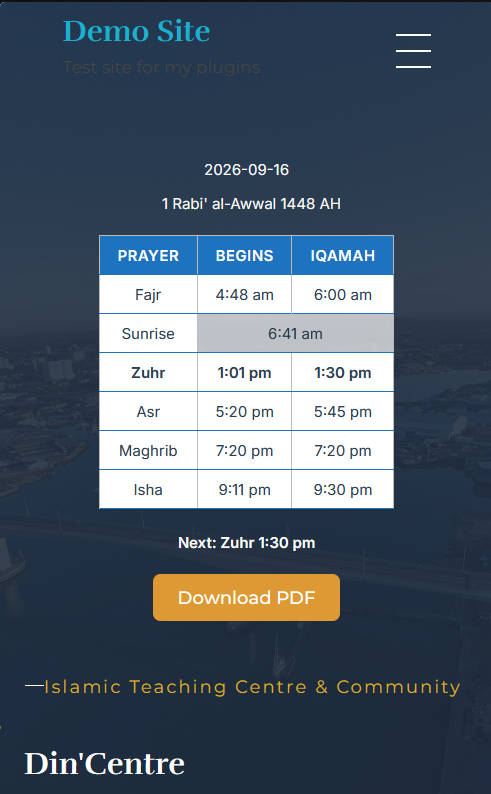
Prayer timetable displayed responsively on mobile devices
Usability: Designed for Real People
I built this plugin with usability as the top priority:
- Clean Admin Interface: All settings are organized into clear, logical tabs — Data Import, Design, Hijri Date, Shortcodes, Support, and About.
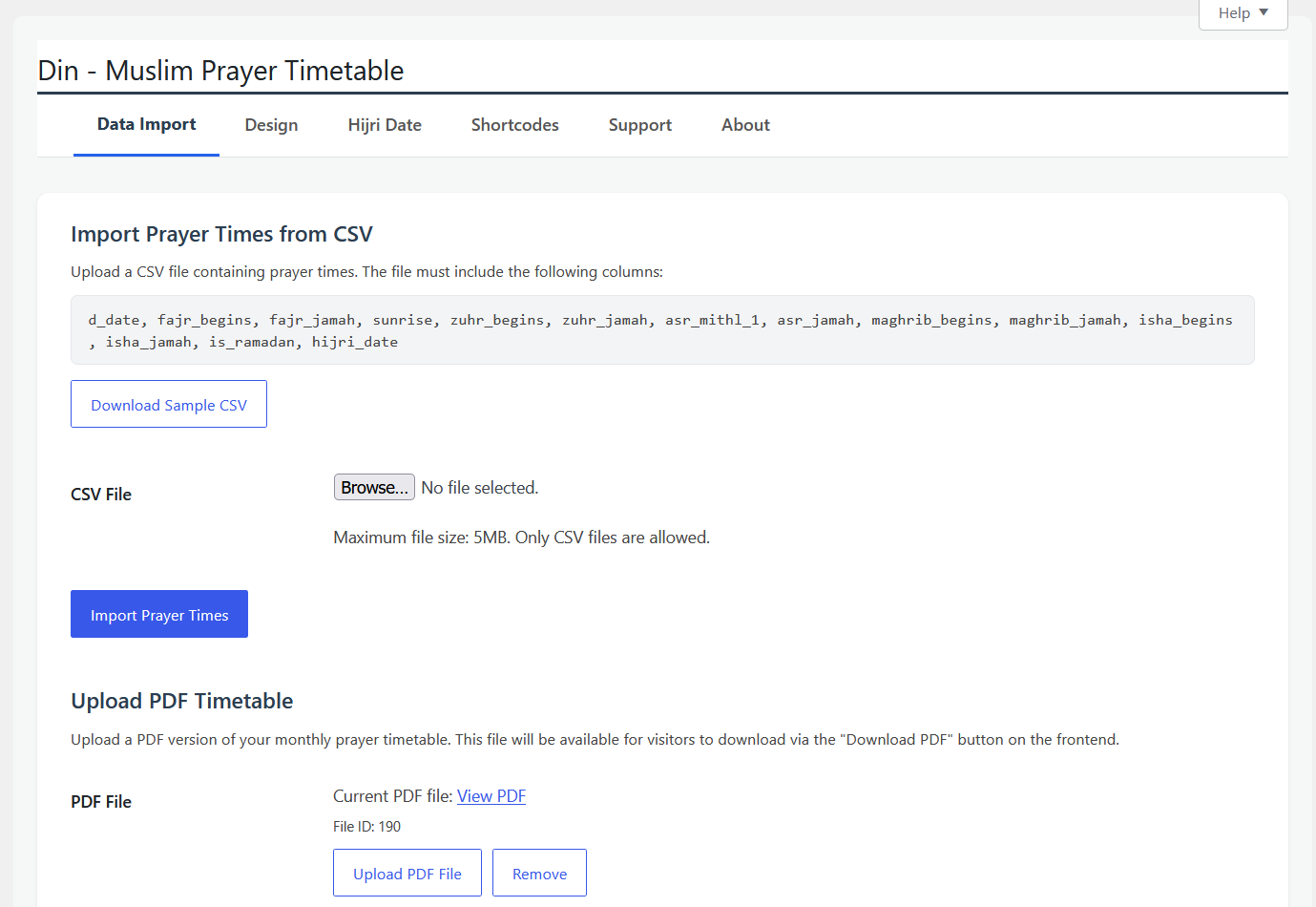
Admin settings page for configuring plugin options
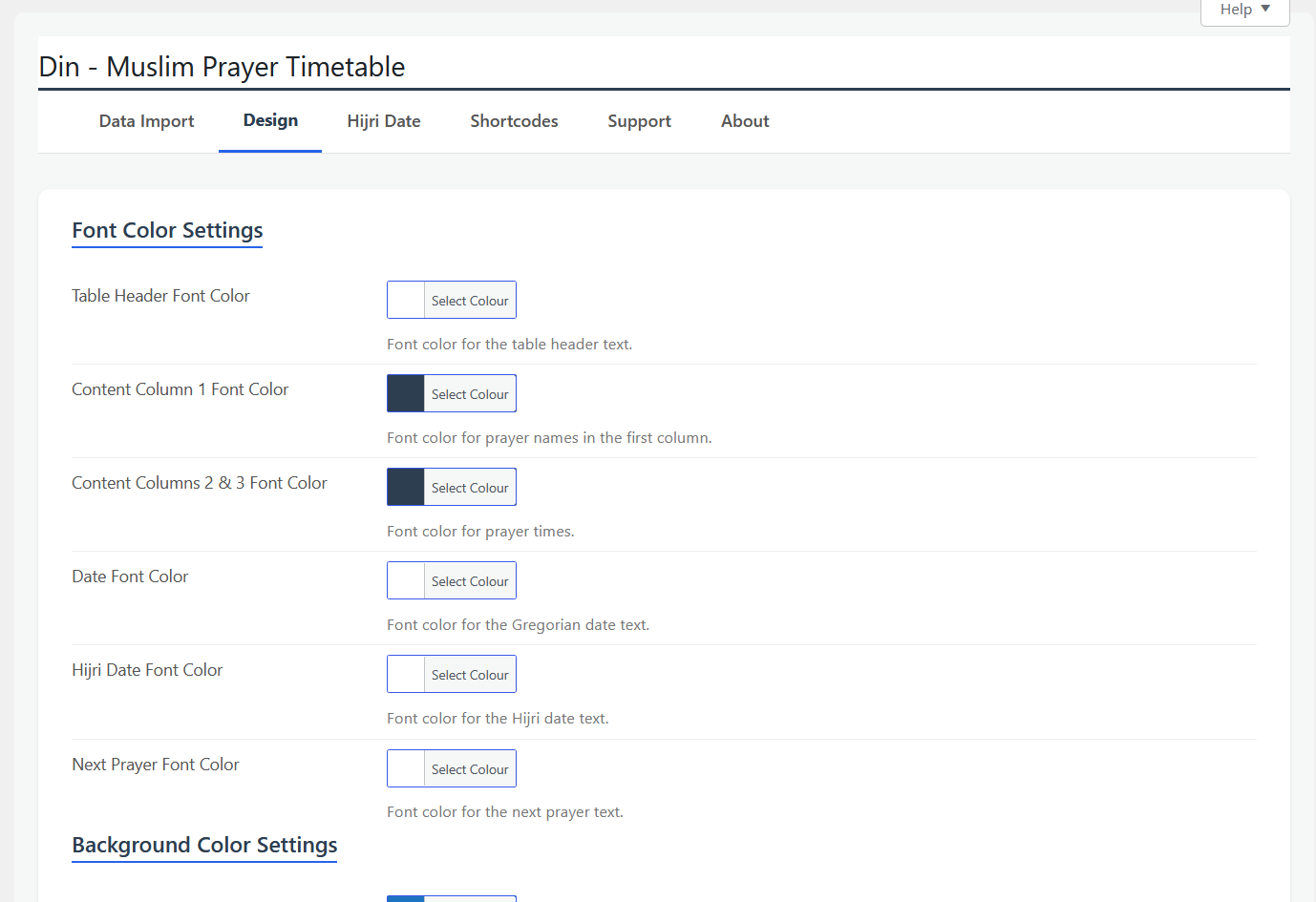
Admin configuration page showing design and layout options
- Live Design Preview: Customize colors, font sizes, and layouts using WordPress's native color picker.
- Simple Shortcodes: Five shortcodes cover everything:
[dinmpt_daily_timetable]— Display daily prayer times[dinmpt_next_prayer format="full"]— Display next prayer with countdown timer[dinmpt_monthly_timetable]— Display monthly prayer schedule[dinmpt_hijri_date]— Display today's Hijri date[dinmpt_gregorian_date]— Display today's Gregorian date
- Responsive by Default: The timetable looks great on mobile, tablet, and desktop out of the box.
- Cache-Busted Assets: CSS and JS files are automatically cache-busted on settings changes, ensuring users always see the latest version.
Security and Performance: Built the Right Way
Security First
Having spent years in this industry, I know security and performance cannot be afterthoughts.
- All input is properly sanitized using WordPress's built-in functions (
sanitize_hex_color,sanitize_text_field,absint,wp_kses_post,sanitize_key,esc_url_raw) - Nonce verification is used for all form submissions and AJAX handlers
- File uploads are restricted to PDF and CSV formats with proper validation
- Capability checks ensure only authorized admins can modify settings
- Base Gregorian dates in Hijri settings are validated using
DateTime::createFromFormatto prevent invalid calendar dates - The
wp_unslash()function is used beforesanitize_text_field()on$_GETinputs in AJAX handlers
Prefix Compliance
All class names, constants, options, transients, shortcodes, and admin hooks use the unique dinmpt/DINMPT prefix (6 characters, well above WordPress's minimum 4-character requirement), preventing naming collisions with other plugins or themes.
Privacy Respecting
This plugin does not collect any data from your site or visitors. No tracking, no analytics, no external API calls. Your mosque's prayer times stay private on your own website.
Performance Optimized
- Settings are cached using WordPress transients to minimize database queries
- CSS variables are used for dynamic styling, reducing the need for multiple CSS files
- Query results for monthly and yearly data are cached with proper invalidation on updates
- No external dependencies — only loads Google Fonts and the necessary WordPress scripts
- Lightweight codebase with no unnecessary features slowing down your site
WordPress Plugin Directory Compliance
The plugin has been thoroughly tested and passes Plugin Check with zero errors and zero warnings. It meets all WordPress plugin directory guidelines for security best practices, unique prefix naming, proper sanitization and escaping, privacy compliance, and performance optimization.
Getting Started
- Install and activate the plugin from WordPress.org (search for "Din – Muslim Prayer Timetable")
- Go to Din Prayer Time in the WordPress admin menu
- Upload your CSV file with prayer times via the Data Import tab
- Customize the appearance in the Design tab
- Configure Hijri date settings in the Hijri Date tab
- Use the shortcodes to display timetables anywhere on your site
Built for the Community
This is not just another plugin released into the wild. It is a tool I am actively using and maintaining for the mosques in my community. Whether it is for Jumu'ah announcements, daily prayer times, or monthly overviews, Din – Muslim Prayer Timetable is designed to be simple enough for anyone to set up and maintain, without needing a developer.
If you are part of a mosque or Islamic organization that needs a straightforward prayer timetable solution, give it a try. And if you have feedback or suggestions, I would love to hear from you through the Support tab in the plugin settings.
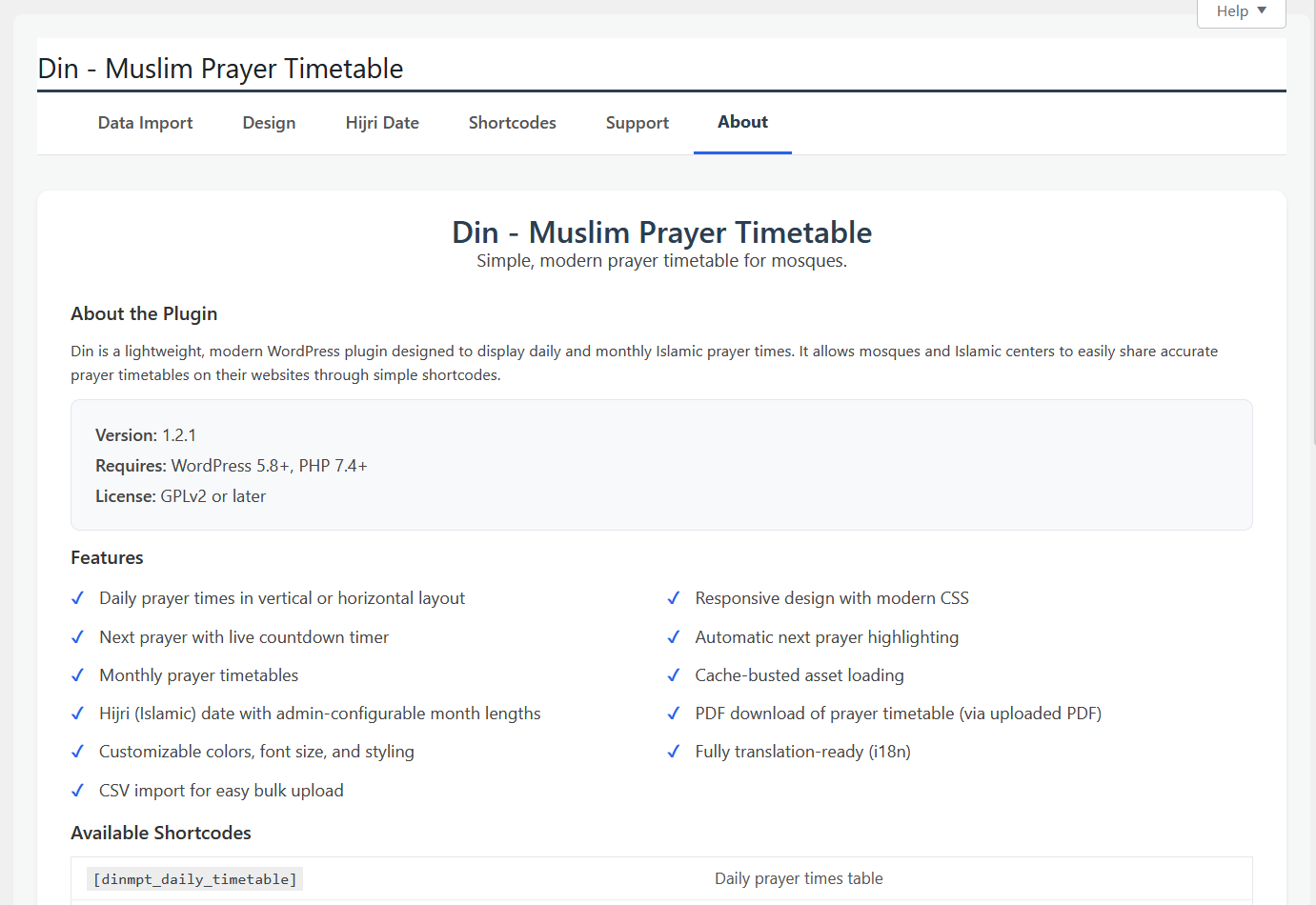
Plugin information and credits page